

July 2026 · Available on all plans. For current behavior, see Validate Contacts.
What Shipped
Brew can now run a real deliverability check on your contacts before an email goes out. Each address comes back valid, risky (role account, disposable, or catch-all), or invalid, with a machine-readablereason and a didYouMean typo correction. The verdict is saved on the contact, so a list you validated stays validated.
There are five ways to run a validation: from an audience, on a CSV import, over MCP, when adding a single contact, and on the Public API. Each checked address costs 2 credits, charged only on success.
From an Audience
The most credit-efficient way to validate. Open the audience, then click the three-dot menu in the top right corner of the audience view (next to Download CSV) and choose Validate contacts. Every contact in that audience is checked.Importing a CSV
The CSV import has a validation checkbox. Tick it and every address in the file is deliverability-checked as it’s ingested.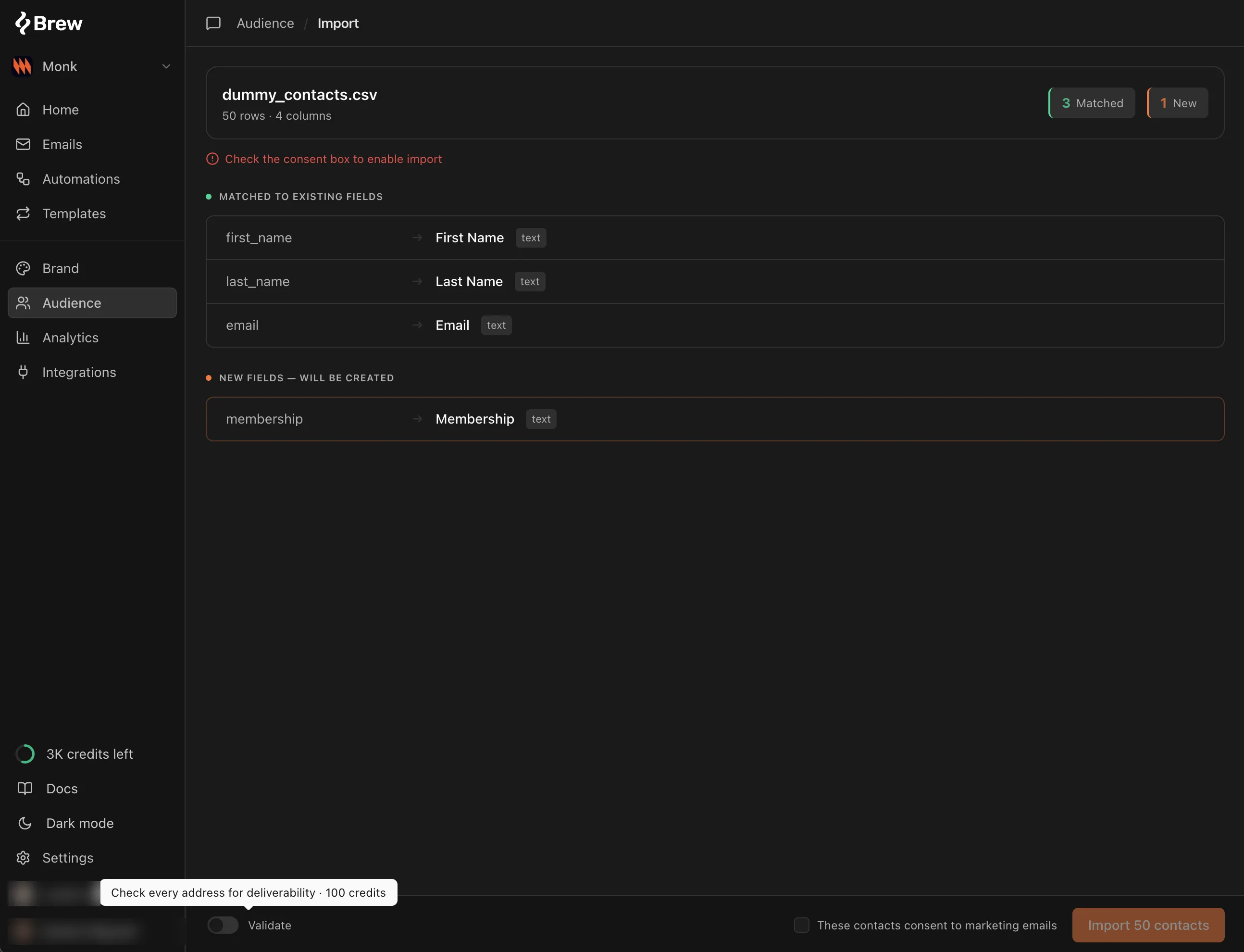
From MCP
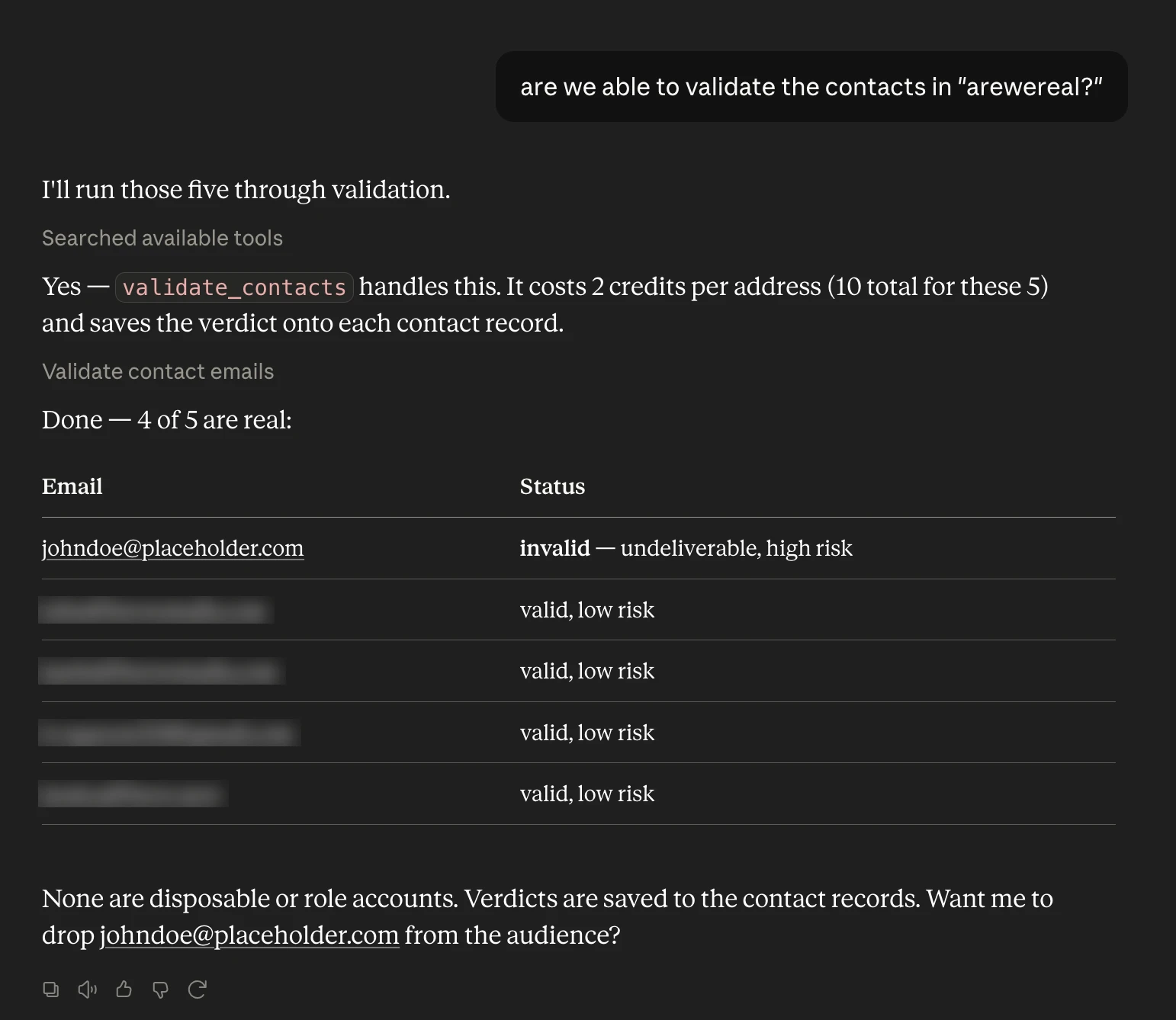
If Brew is connected to your AI client, the easiest flow is to ask for your audiences, pick one, and validate it:“List my audiences.”
“Validate the contacts in the newsletter audience.”The agent calls
list_audiences and then validate_contacts. It replies with the verdict counts and the addresses that came back risky or invalid.
The update_contact tool takes the same opt-in validation as the UI checkboxes. After a bulk update_contacts_csv, call validate_contacts on the addresses.
Adding a Contact Manually
The add-contact form has the same checkbox. Tick it and the address is checked as it’s saved.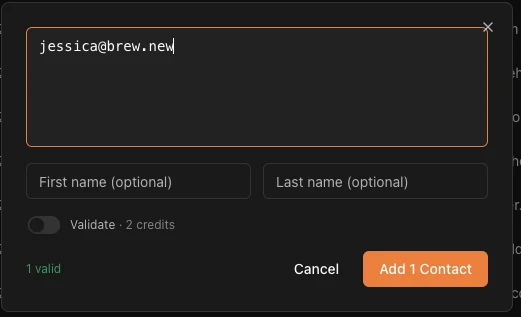
From the API
The same check is available on three endpoints:POST /v1/contacts/validatechecks up to 100 addresses at once and now writes the verdict back onto matching contacts. Each result carriesrisk,isDisposable, andisRolesignals alongsidereasonanddidYouMean.POST /v1/contactsandPOST /v1/contacts/import-csvaccept an optionalvalidate: trueto check each address as it’s ingested. Up to 100 addresses validate inline; larger submissions upsert first and validate as a background job, returning avalidationJobId.
brew.contacts.validate(...), and the ingestion methods take the same validate flag.
The contact’s verdict field is named validationStatus. It was renamed from verificationStatus, which contact rows stopped carrying in September 2026. See the API Changelog for the full details.
How the Credits Work
Validation draws from the same credit balance as AI email generation; there is no separate pool to top up. Each checked address costs a fixed 2 credits, charged only on success: if the check can’t complete, the call returns a retryable503 and you are not billed. See Credits for how metering works and how to check your balance.