

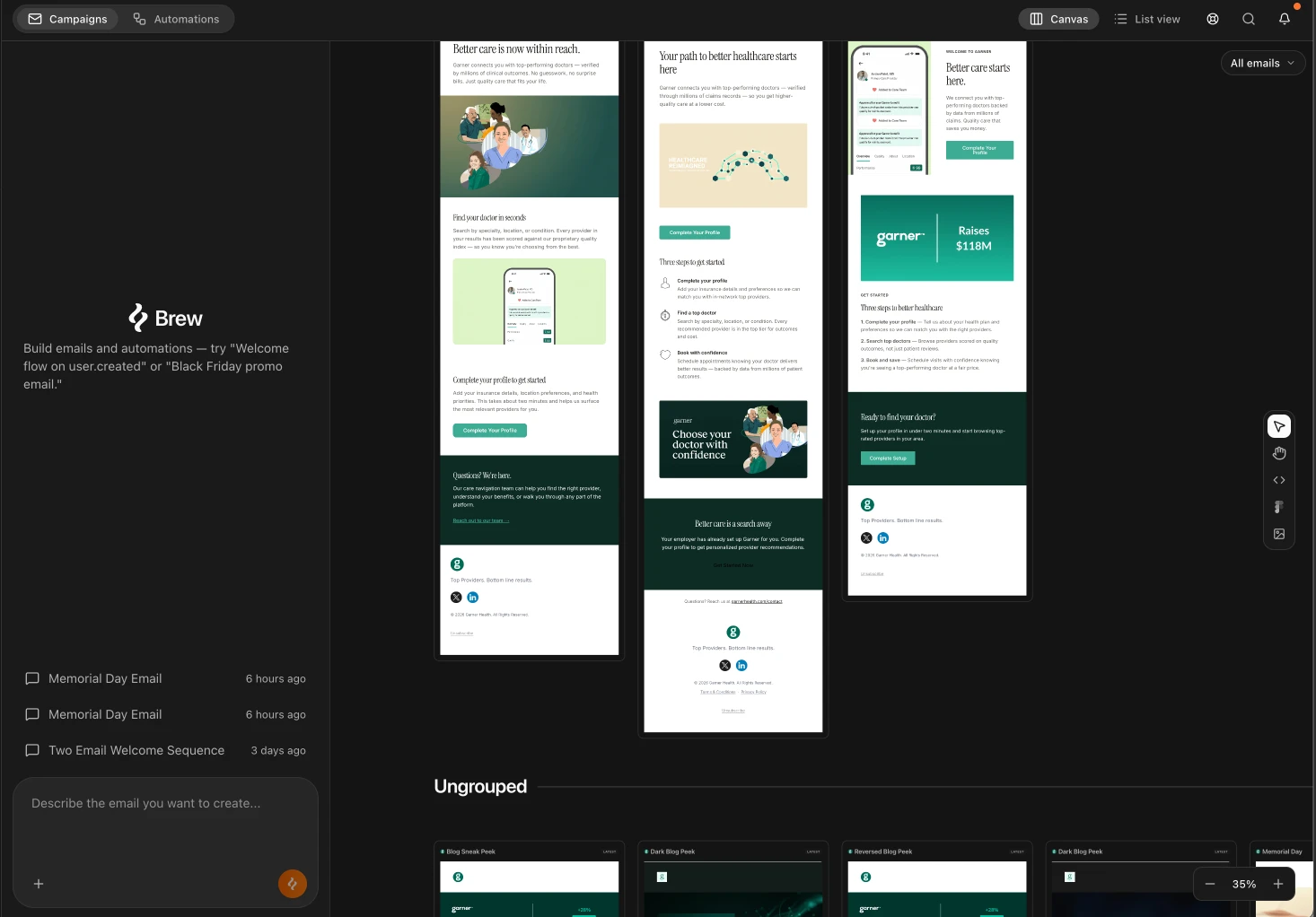
 Emails in Brew are one-off sends, newsletters, product announcements, promotions, event invites. If you’re used to the term “campaign” from other email tools, that’s what we mean. An email you write, schedule, and send to an audience at a moment you choose.
One prompt → one or more emails sent at a chosen time.
This is different from Automations, which send in response to events and run in the background automatically. Not sure which to use? See Emails vs Automations.
Emails in Brew are one-off sends, newsletters, product announcements, promotions, event invites. If you’re used to the term “campaign” from other email tools, that’s what we mean. An email you write, schedule, and send to an audience at a moment you choose.
One prompt → one or more emails sent at a chosen time.
This is different from Automations, which send in response to events and run in the background automatically. Not sure which to use? See Emails vs Automations.
Creating an Email
Open Home and describe what you want in the chat. Be specific about the purpose, the audience, and the tone, the more detail you give, the better the first version. Some examples:- “Write a product launch announcement for our new dashboard feature. Excited tone, one clear CTA to try it.”
- “Create a Black Friday promo email with a product grid and a 24-hour countdown.”
- “Draft a re-engagement email for customers who haven’t logged in for 30 days.”
{{ firstName }} into the copy.
Editing a Generated Email
Click any email on the canvas to select it. You have two ways to edit: Edit with AI (chat). Use the chat panel for bigger changes:- “Make this more direct.”
- “Add a second version for enterprise buyers.”
- “Replace the hero with a product screenshot.”
Variants
Ask Brew for variants when you want options without losing the original:- “Create three subject-line variations for this email.”
- “Make a more playful version of this welcome email.”
- “Generate a B variant of this announcement with a different hero image.”
Sending
When the email is ready, click Send in the toolbar. Pick a saved audience, choose a verified domain, and review sender details. Then choose when the email goes out:- Send now: the email goes out right away.
- Schedule: set a date and time for the email to go out automatically.
- Intelligent send: set one or more delivery windows and Brew delivers within them, optionally at each contact’s usual open time.
- Gradual send: ramp daily volume over several days to warm up a new or low-volume domain.
Exporting to Another ESP
If you use HubSpot, Klaviyo, Mailchimp, or another ESP, click Send in the top right and choose Export template. Every ESP you have already connected appears as a destination, so connect the integration first. See Integrations for the full list of supported platforms and how to connect one.Canvas View vs List View
Brew gives you two ways to look at your emails:- Canvas view. Best for creating, comparing, and editing. Emails appear here after generation. You can see multiple versions side by side, click into any email, and edit or export from here.
- List view. Best for scanning and managing a larger library of emails. Shows emails in a compact table.
Grouping Emails
Groups are folders for the canvas. Create one, drop emails into it, and they appear together in their own group instead of loose among everything else. It works the way folders do in a drive. Once you have more than a handful of emails, grouping them by campaign, season, or product line is what keeps the canvas navigable.Importing Existing Designs
Already have email designs? Bring them into Brew from the Import tools on the right side of the canvas:
You can also forward emails to
hello@email.brew.new. Forwarded emails land in Templates → Forwarded and can be remixed into your brand.
Need Help?
Our team is ready to support you at every step of your journey with Brew. Choose the option that works best for you:- Self-Service Tools
- Talk to Our Team
Search Documentation
Type in the “Ask any question” search bar at the top left to instantly find relevant documentation pages.
ChatGPT/Claude Integration
Click “Open in ChatGPT” at the top right of any page to explore it further with ChatGPT or Claude.