

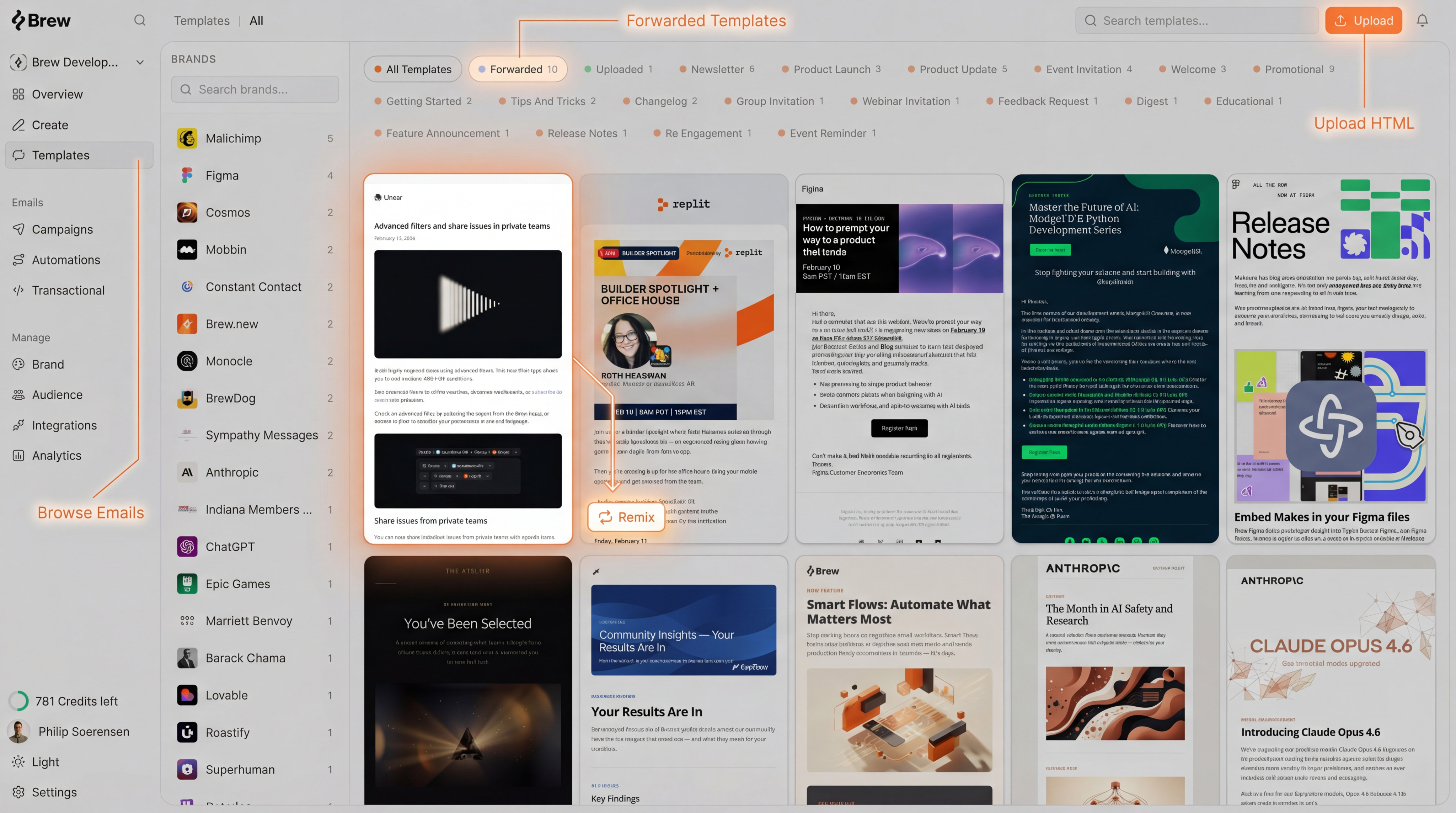
Browse Emails from Other Brands
Brew curates a selection of emails from other brands across industries. Browse them, find one you like, and remix it into your own brand style with one click. This is a great way to get started quickly or find fresh inspiration for your next campaign. Best for: Finding new design ideas, exploring different layouts, or getting started when you don’t have existing templates.Import Your Own Templates
If you already have email templates you want Brew to work with, you can import them in two ways:- Forward an Email
- Upload HTML
Forward any email to email@send.brew.new. It appears in the “Forwarded” section of the Templates page, ready to remix.
Make sure to forward from the same email address you use for Brew.
Save Campaigns as Templates
You can also add any campaign you’ve created in Brew to your templates. From a campaign, click the three-dot menu (⋮) in the top bar and select Add to Templates. This is a great way to reuse your best-performing campaigns as a starting point for future emails.Template Privacy
All forwarded, uploaded, and saved templates are private by default - only your team can see and use them. If you’d like to share a template with the broader Brew community so others can browse and remix it, you can set it to public from the template’s settings.How Remix Works
When you remix a template, Brew:- Analyzes the layout, structure, and design patterns of the original
- Applies your brand identity (colors, fonts, logo, tone of voice)
- Generates new content tailored to your prompt and audience
When you remix a template, your reference email is ignored for that generation. The remixed template becomes the design baseline instead.
Need Help?
Our team is ready to support you at every step of your journey with Brew. Choose the option that works best for you:- Self-Service Tools
- Talk to Our Team
Search Documentation
Type in the “Ask any question” search bar at the top left to instantly find relevant documentation pages.
ChatGPT/Claude Integration
Click “Open in ChatGPT” at the top right of any page to analyze documentation with ChatGPT or Claude for deeper insights.