

July 2026 · Available on all plans.
What Shipped
Brew can now audit any email design against WCAG 2.1 before it goes out. The audit checks the rendered HTML: color contrast, image alt text, link text, heading structure, font size, and language. Back comes a score from 0 to 100, a plain-English summary, and the specific issues, each tied to its WCAG criterion. It runs everywhere Brew does: in the app, over MCP, and on the Public API. An audit costs a fixed 5 credits and is charged only when it completes.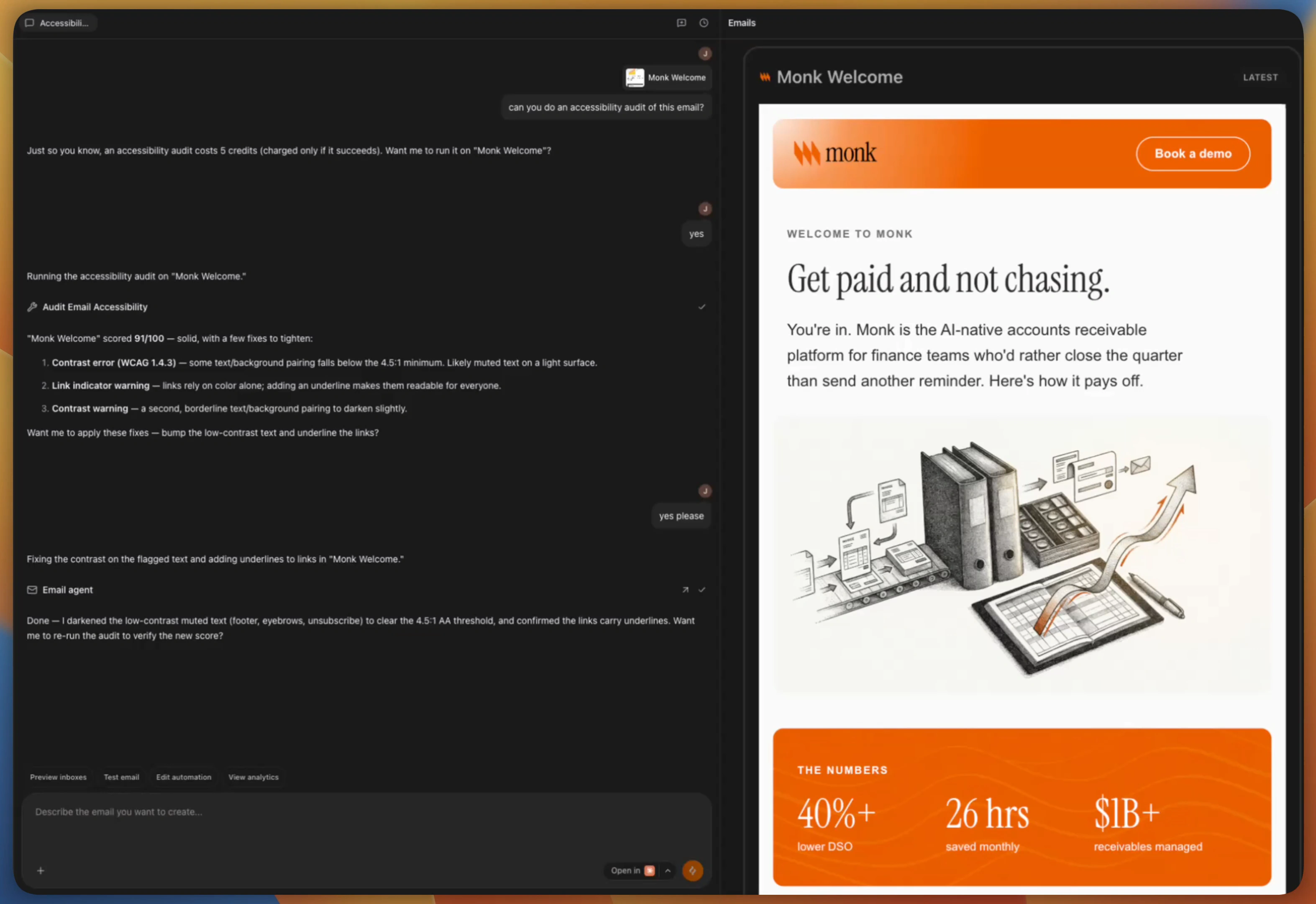
In the Brew UI
1
Add the email to chat
Open the email you want to check and click Add to chat, so the audit
runs against that design.
2
Ask for an audit
Prompt the chat:
“Can you do an accessibility audit of this email?”Brew confirms the 5-credit cost first, then runs the audit and replies with the score and each issue it found, like a text and background pairing below the 4.5:1 contrast minimum, or links that rely on color alone.
3
Let Brew apply the fixes
Say yes when Brew offers to fix what it found. It darkens low-contrast
text, underlines links, and fills in the other flagged issues, then you
can re-run the audit to verify the new score.
From MCP
If Brew is connected to your AI client, audits run from any chat. Reference the email and ask:“Audit the welcome email for accessibility.”The agent calls
audit_email_accessibility and replies with the score,
summary, and issue list, and it can apply the fixes in the same conversation.
From the API
The same audit is available atPOST /v1/emails/{emailId}/accessibility-audit
and as brew.emails.auditAccessibility(...) in the TypeScript SDK. The call
is value-aligned: if the audit can’t complete you get a retryable 503 and
are not billed. See Credits for how metering
works.