> ## Documentation Index
> Fetch the complete documentation index at: https://docs.brew.new/llms.txt
> Use this file to discover all available pages before exploring further.
# New Send Options: Intelligent Send and Gradual Send
> Two new ways to time a send. Intelligent send delivers inside time windows you set, and gradual send ramps daily volume to warm up a domain.
**July 2026** · Available on all plans.
## What Shipped
Sending an email now offers four options instead of two. Alongside **Send now** and **Schedule**, you can choose **Intelligent send**, which delivers inside time windows you pick, or **Gradual send**, which ramps daily volume to warm up a new or low-volume domain. Gradual send is also available when you launch a [manual-audience Automation](/create-emails/automations#manual-audience) run.
For the full walkthrough of each option, see the new [Send Options](/create-emails/send-options) guide.
## The Four Options
* **Send now**: the email goes out right away.
* **Schedule**: pick a date and time, and Brew sends automatically when it arrives.
* **Intelligent send**: pick one or more time windows, and Brew delivers within them.
* **Gradual send**: pick a starting volume and a daily increment, and Brew ramps up delivery day by day.
## Scheduled Sends
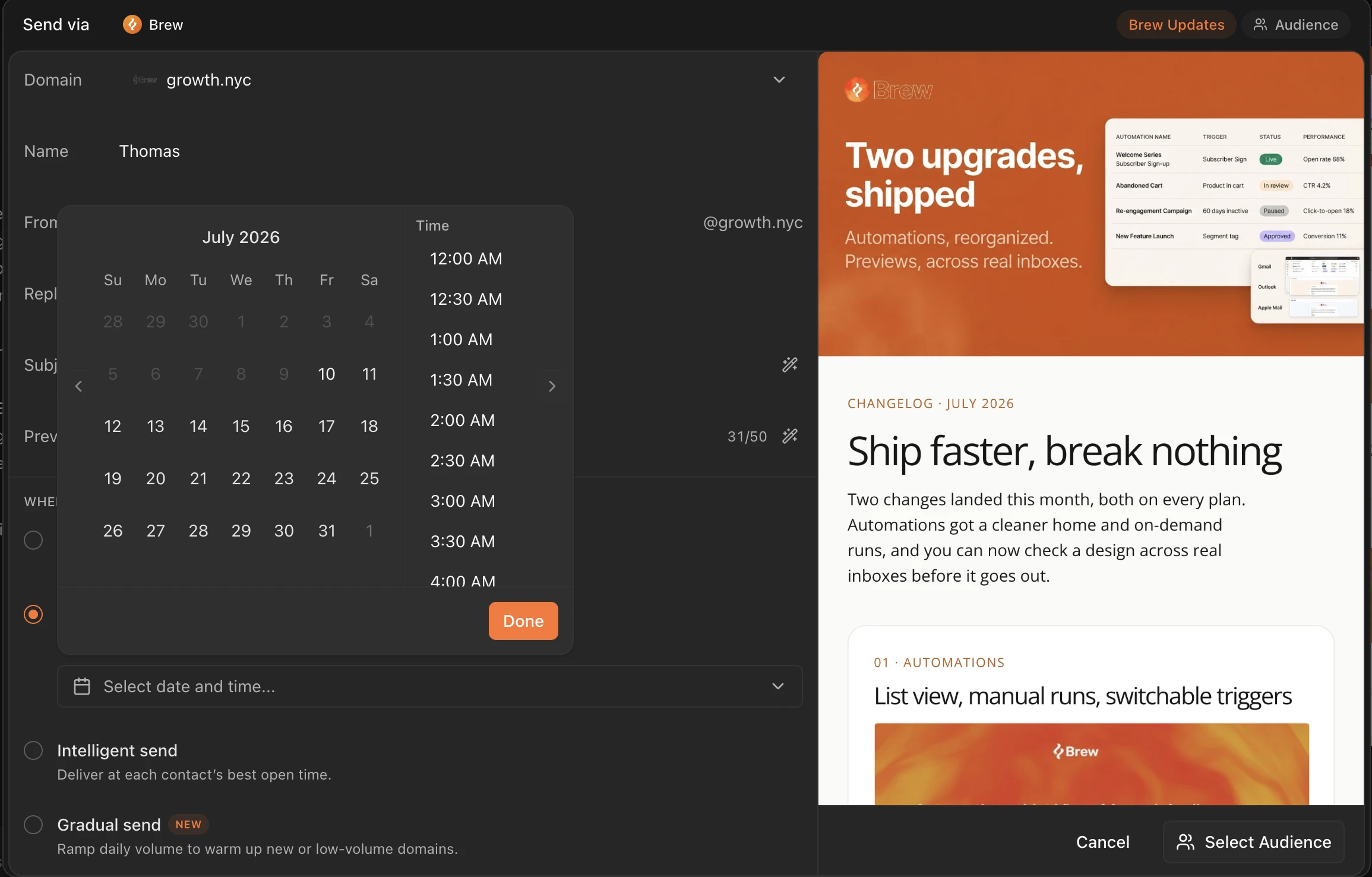
Pick a date and time, and Brew sends automatically when it arrives. Choosing Schedule reveals the date and time picker right in the send panel.
 ## Intelligent Send
Instead of a single moment, you choose delivery windows. Pick a preset like Morning commute, Lunch break, or Post-work, or set your own window on the timeline, for example 09:00 to 11:00. **Add window** lets you set more than one, and recipients are spread across your windows. Windows follow the timezone you pick in the **Times in** selector, and any window that has already passed today delivers tomorrow instead.
Intelligent send also includes a **Per-recipient intelligence** toggle. Turn it on and Brew sends to each contact at their usual open time. Contacts without enough open history use your windows.
## Gradual Send
Gradual send ramps up daily sending volume instead of delivering to the whole audience at once. It's built for warming up a domain, whether it's newly verified or has been sending at low volume, and it works for regular marketing and customer sends, not just dedicated warmup campaigns.
You control the ramp:
* **Start**: begin right away or schedule the ramp to start at a date and time.
* **Starting volume**: how many emails go out on day one. Brew recommends 50.
* **Increment**: how much the daily volume grows. The recommended 1.25x grows volume 25% each day.
* **Safety threshold**: when Brew should pause the send. The recommended Balanced threshold pauses if bounces exceed 3% or complaints exceed 0.07%, and you get an alert if sending pauses.
A chart previews the daily send schedule as you adjust the settings, so you can see how many emails go out on each day before you commit.
## Launching an Automation
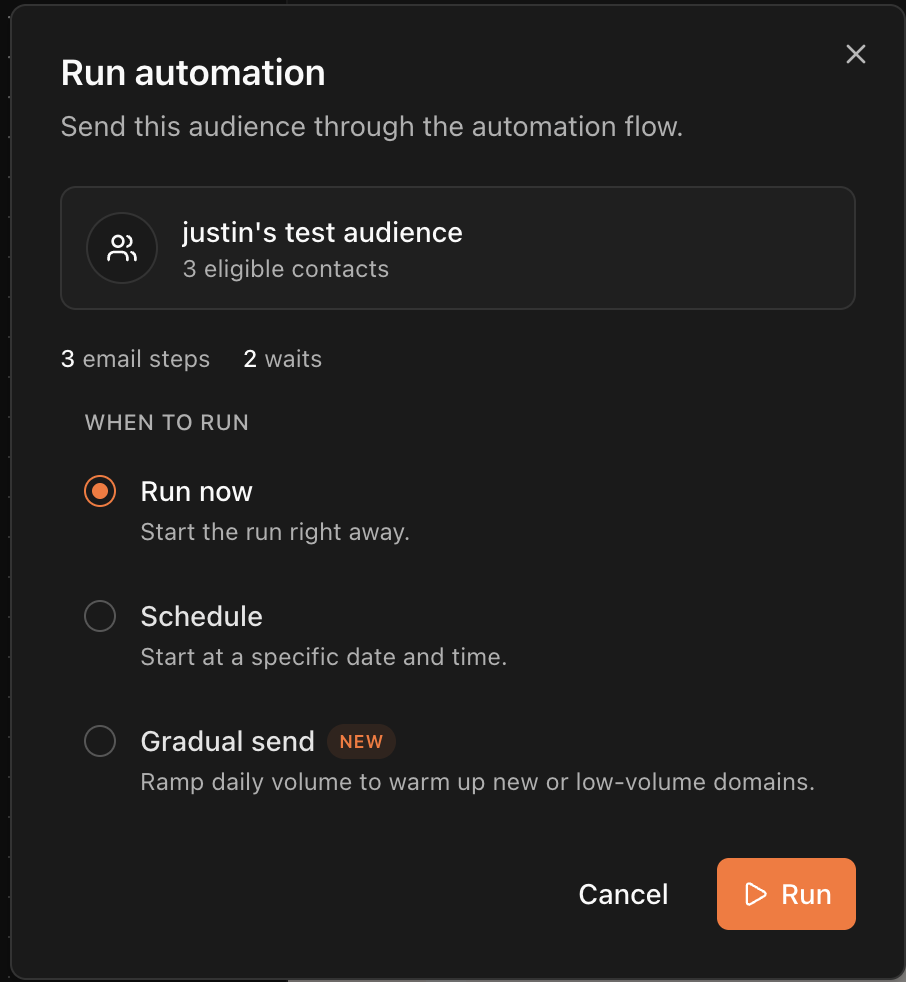
Launching a [manual-audience automation](/create-emails/automations#manual-audience) run now goes through a similar picker with three options: **Run now**, **Schedule**, and **Gradual send**. Intelligent send isn't offered for automation runs; timing inside a flow comes from its Wait steps.
## Intelligent Send
Instead of a single moment, you choose delivery windows. Pick a preset like Morning commute, Lunch break, or Post-work, or set your own window on the timeline, for example 09:00 to 11:00. **Add window** lets you set more than one, and recipients are spread across your windows. Windows follow the timezone you pick in the **Times in** selector, and any window that has already passed today delivers tomorrow instead.
Intelligent send also includes a **Per-recipient intelligence** toggle. Turn it on and Brew sends to each contact at their usual open time. Contacts without enough open history use your windows.
## Gradual Send
Gradual send ramps up daily sending volume instead of delivering to the whole audience at once. It's built for warming up a domain, whether it's newly verified or has been sending at low volume, and it works for regular marketing and customer sends, not just dedicated warmup campaigns.
You control the ramp:
* **Start**: begin right away or schedule the ramp to start at a date and time.
* **Starting volume**: how many emails go out on day one. Brew recommends 50.
* **Increment**: how much the daily volume grows. The recommended 1.25x grows volume 25% each day.
* **Safety threshold**: when Brew should pause the send. The recommended Balanced threshold pauses if bounces exceed 3% or complaints exceed 0.07%, and you get an alert if sending pauses.
A chart previews the daily send schedule as you adjust the settings, so you can see how many emails go out on each day before you commit.
## Launching an Automation
Launching a [manual-audience automation](/create-emails/automations#manual-audience) run now goes through a similar picker with three options: **Run now**, **Schedule**, and **Gradual send**. Intelligent send isn't offered for automation runs; timing inside a flow comes from its Wait steps.
 ## Related
* [Send Options](/create-emails/send-options)
* [Emails](/create-emails/emails)
* [Automations](/create-emails/automations)
* [Verify Your Sending Domain](/get-started/verify-your-sending-domain)
## Related
* [Send Options](/create-emails/send-options)
* [Emails](/create-emails/emails)
* [Automations](/create-emails/automations)
* [Verify Your Sending Domain](/get-started/verify-your-sending-domain)