> ## Documentation Index
> Fetch the complete documentation index at: https://docs.brew.new/llms.txt
> Use this file to discover all available pages before exploring further.
# Your Brand as Markdown
> Brew writes email-design.md and image-style.md from your site, editable like any doc, and reads your own brand files on top.
**June 15, 2026** · Available on all plans.
## What Shipped
Brew learns your brand by extracting it from your domain in about 30 seconds.
But most teams already have a brand guide: a PDF, a `brand.md` in Notion, a
folder of logos, a few emails they're proud of. Until now that material had
nowhere to go. Today, you can hand it all to Brew, and it wins over anything
inferred from your site.
## Drop in What You Already Have
On brand setup, add your domain and attach your files together: brand
guidelines, PDFs, existing markdown, logos, product shots, past emails. Brew
reads your live site for how you show up in the world, and your files for the
rules you've already written down.
## Your Files Win on Conflict
When the domain and your uploads disagree, your uploads win. If your guide
says the accent is `#FF5A1F` and the marketing site drifted to a different
orange, the guide is the source of truth and the site is a hint. The domain
only fills the gaps your uploads leave.
Brew also flags tensions instead of silently overwriting. If your imagery
reads bright and near-white but your email surfaces are dark, it calls that
out and reconciles the two, so the palette language matches the emails you
actually send.
## Brew Writes an `email-design.md`
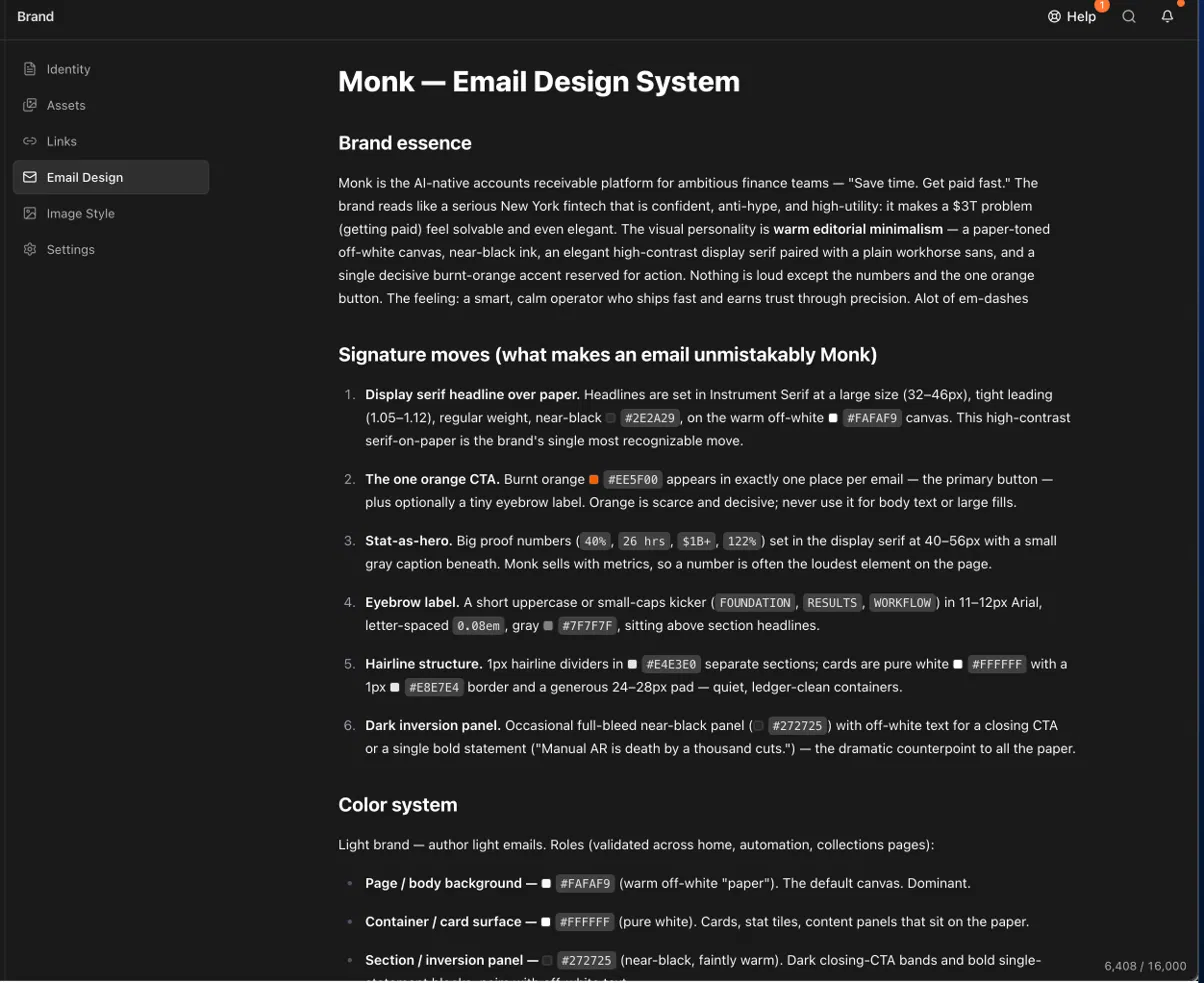
From all of that, Brew's extraction agent writes a document, not a schema.
It's called `email-design.md`: a markdown brand spec that captures your color
system, typography, voice, and signature moves in prose, written in the
grammar of email (light and dark palettes, email-safe font fallbacks, the
600px container, table-based layouts).
```markdown theme={null}
# Signature Moves
- Small mono label above every headline, in the accent color
- Dividers are 1px hairlines, never boxes or shadows
- One full-bleed product shot per email, no frame
- CTA reads as a short command, never "Click here"
```
 Imagery gets its own spec, `image-style.md` (the Design profile JSON on your
Assets page). Where `email-design.md` governs how an email is built,
`image-style.md` art-directs what Brew generates: palette, subjects,
composition, lighting, render mode, and a hard list of what to avoid.
```markdown theme={null}
# Do Not
- No cool blues, purples, or dark-mode backgrounds, warm canvas is mandatory
- No UI on pure white or photographic backgrounds; always the bone canvas
- No full-color photography of people; faces only as avatar circles in UI
- Don't crowd the frame, one focal subject, generous negative space
```
Imagery gets its own spec, `image-style.md` (the Design profile JSON on your
Assets page). Where `email-design.md` governs how an email is built,
`image-style.md` art-directs what Brew generates: palette, subjects,
composition, lighting, render mode, and a hard list of what to avoid.
```markdown theme={null}
# Do Not
- No cool blues, purples, or dark-mode backgrounds, warm canvas is mandatory
- No UI on pure white or photographic backgrounds; always the bone canvas
- No full-color photography of people; faces only as avatar circles in UI
- Don't crowd the frame, one focal subject, generous negative space
```
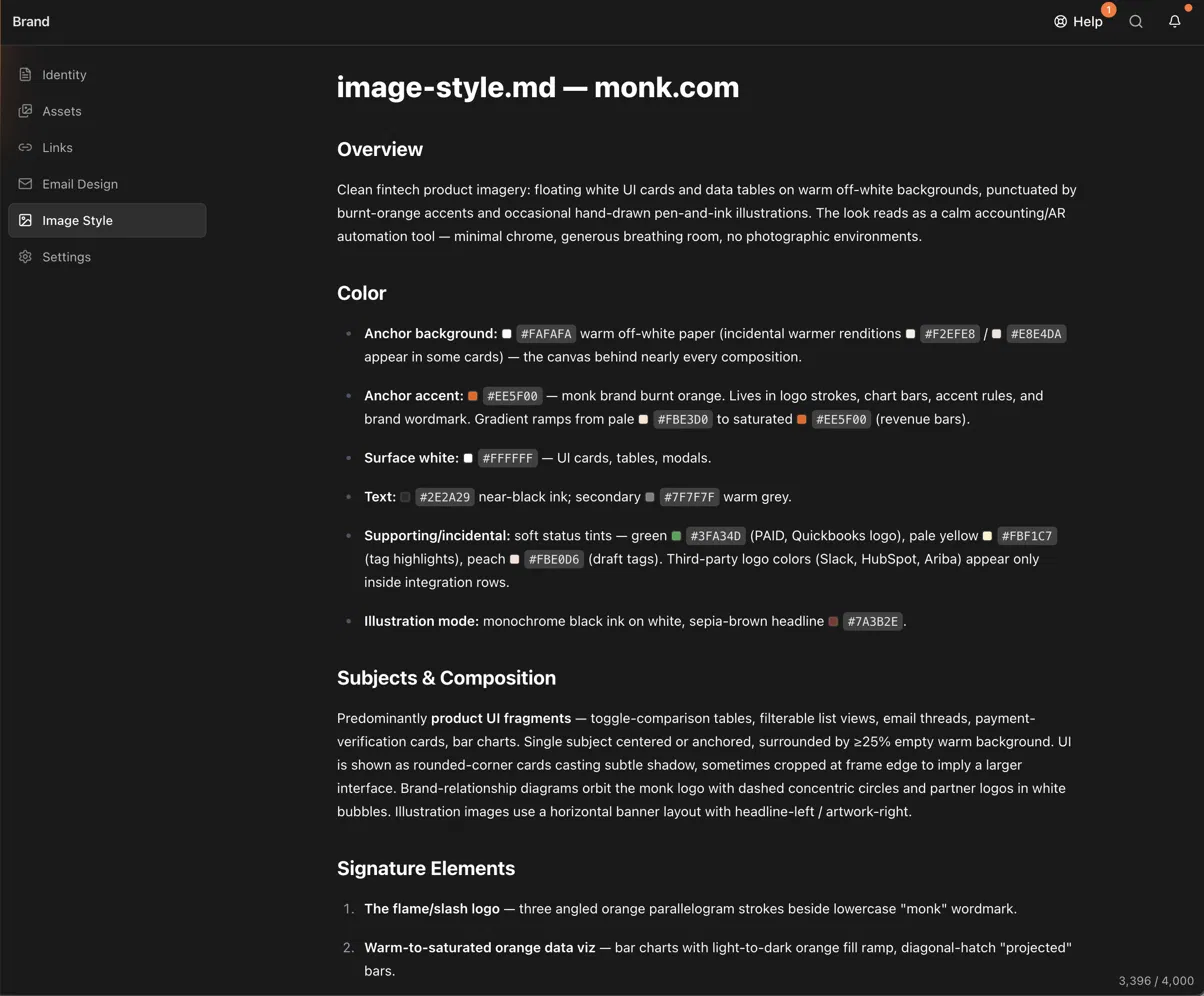 Two specs, one brand: `email-design.md` keeps your emails on-brand,
`image-style.md` keeps your generated images on-brand.
## Edit One Line, Every Email Inherits It
It's just markdown. Open the **Brand** tab, switch pill buttons to square,
nudge the accent, tighten the voice. Every email generated after that follows
the edit. No re-rolling and hoping.
## Get Started
[Add Your Brand](/get-started/add-your-brand) to generate yours, then review
it in [Brand Identity](/brand/brand-identity).
Two specs, one brand: `email-design.md` keeps your emails on-brand,
`image-style.md` keeps your generated images on-brand.
## Edit One Line, Every Email Inherits It
It's just markdown. Open the **Brand** tab, switch pill buttons to square,
nudge the accent, tighten the voice. Every email generated after that follows
the edit. No re-rolling and hoping.
## Get Started
[Add Your Brand](/get-started/add-your-brand) to generate yours, then review
it in [Brand Identity](/brand/brand-identity).